
共计 2000 个字符,预计需要花费 5 分钟才能阅读完成。

问题背景
Claude 作为 AI 服务通常部署在 Linux 服务器上,其典型架构包含前端 API 网关和后端模型服务。常见连接问题多发生在:
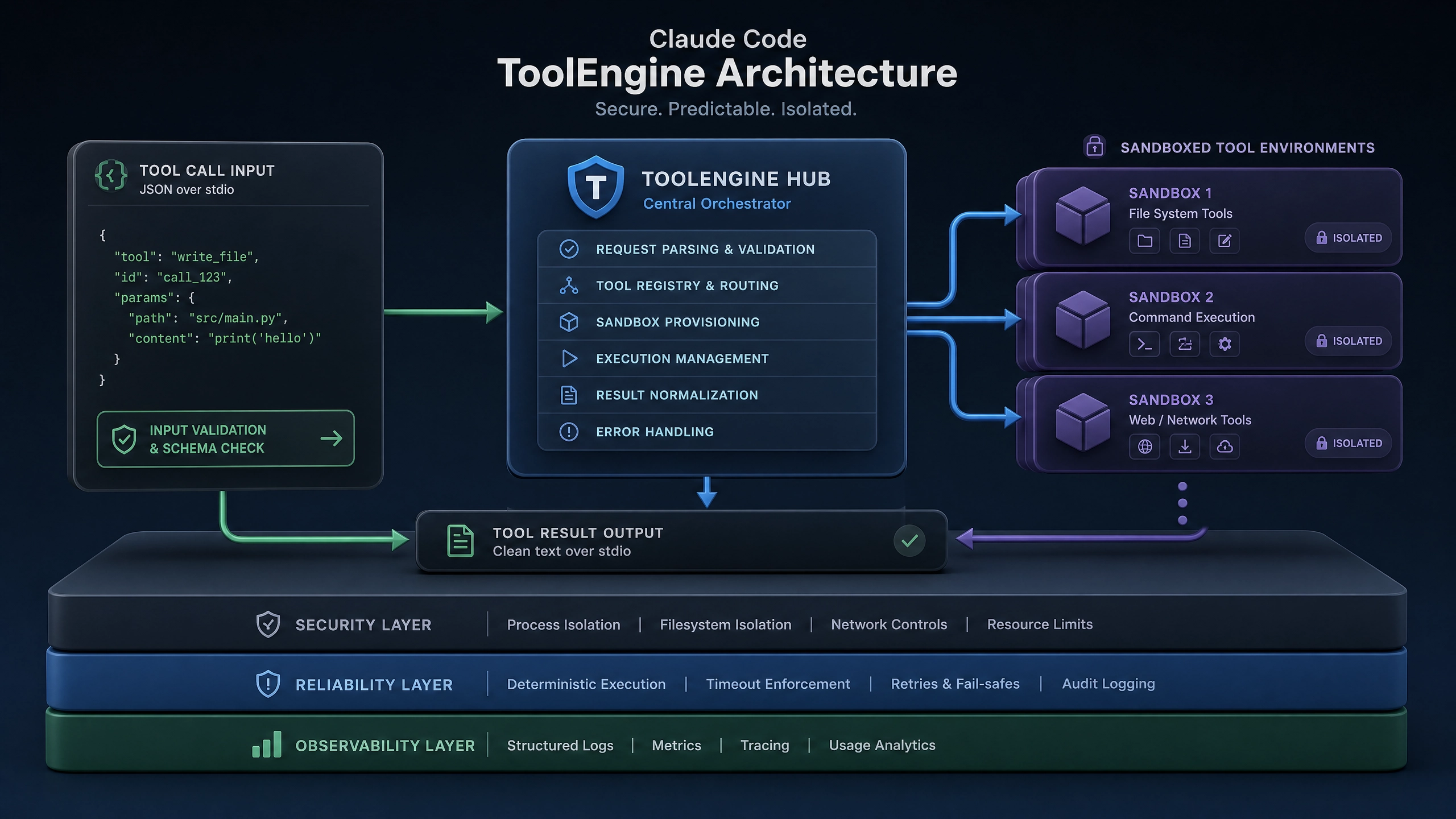
- 跨主机通信时的网络策略限制
- 容器化部署时的端口映射错误
- 服务启动顺序导致的依赖缺失
错误分析
日志解析
- 使用
journalctl查看系统日志(适用于 systemd 系统):journalctl -u claude --since "1 hour ago" -n 50 -
关键字段:
Connection refused(网络层)、SSL handshake failed(传输层)、403 Forbidden(应用层) -
网络状态检查(所有主流发行版通用):
netstat -tulnp | grep claude
ss -lntp | grep 50051  # 示例端口
解决方案
防火墙检查
-
iptables 规则检查(CentOS/RHEL 7):
iptables -L -n -v | grep -A 10 "claude" -
nftables 检查(Ubuntu 20.04+/RHEL 8+):
nft list ruleset | grep "claude"
SSL 证书验证
- 使用 OpenSSL 测试连接:
openssl s_client -connect localhost:443 -servername api.claude.ai -showcerts - 检查证书链完整性(verify return code 应为 0)
systemd 配置示例
[Unit]
Description=Claude AI Service
After=network.target
Requires=network-online.target

[Service]
ExecStart=/opt/claude/bin/server \
    --listen-addr=0.0.0.0:8080 \
    --tls-cert=/etc/ssl/claude.crt \
    --tls-key=/etc/ssl/claude.key
Restart=on-failure
User=claude
Group=claude
LimitNOFILE=65536

# SELinux 上下文设置(仅 RHEL 系需要)SELinuxContext=system_u:system_r:claude_t:s0

[Install]
WantedBy=multi-user.target
深度调试
网络包分析
-
捕获特定端口的流量(需要 root 权限):
tcpdump -i any port 8080 -w claude.pcap -
常见异常模式:
- SYN_SENT 但无 SYN_ACK(防火墙拦截)
- TLS Alert 消息(证书问题)
HTTP 错误代码解读
- 401:缺少身份认证
- 503:后端服务不可用
- 504:网关超时
避坑指南
- 端口冲突问题:
- 使用
ss -tulnp确认端口占用 -
修改服务配置避免使用 8000/8080 等常见端口
-
时间不同步导致 TLS 失败:
timedatectl set-ntp true -
SELinux 权限问题(RHEL/CentOS):
ausearch -m avc -ts recent | grep claude
semanage port -a -t claude_port_t -p tcp 8080
验证方案
Python 测试脚本
import requests
from urllib3.util.retry import Retry
from requests.adapters import HTTPAdapter

session = requests.Session()
retries = Retry(total=3, backoff_factor=1)
session.mount("https://", HTTPAdapter(max_retries=retries))

try:
    response = session.get(
        "https://localhost:8080/health",
        verify="/path/to/ca-bundle.crt",
        timeout=5
    )
    print(f"Success: {response.status_code}")
except requests.exceptions.SSLError as e:
    print(f"SSL Error: {e}")
except requests.exceptions.ConnectionError as e:
    print(f"Connection Failed: {e}")
预期输出对比
- 成功响应:
200 OK含服务版本信息 - 典型失败:
[Errno 111] Connection refused→ 服务未启动CERTIFICATE_VERIFY_FAILED→ 证书配置错误
延伸思考
- 如何设计自动化健康检查机制来预防连接中断?
- 在 Kubernetes 环境中,Service Mesh 如何影响 Claude 服务的连接稳定性?
通过本文的方法论,读者应能建立起系统的连接问题分析框架。实际运维中建议结合监控系统(如 Prometheus)对关键指标进行持续观测。
正文完


