
共计 3731 个字符,预计需要花费 10 分钟才能阅读完成。

技术背景
OpenClaw 是一个专注于自动化流程处理的 Python 库,它能高效处理结构化数据抓取和任务编排。在智能对话系统中,OpenClaw 负责从各种数据源(如数据库、API 等)快速获取对话所需的上下文信息。ChatGPT 则是当前最强大的生成式对话模型之一,擅长理解自然语言并生成流畅回复。
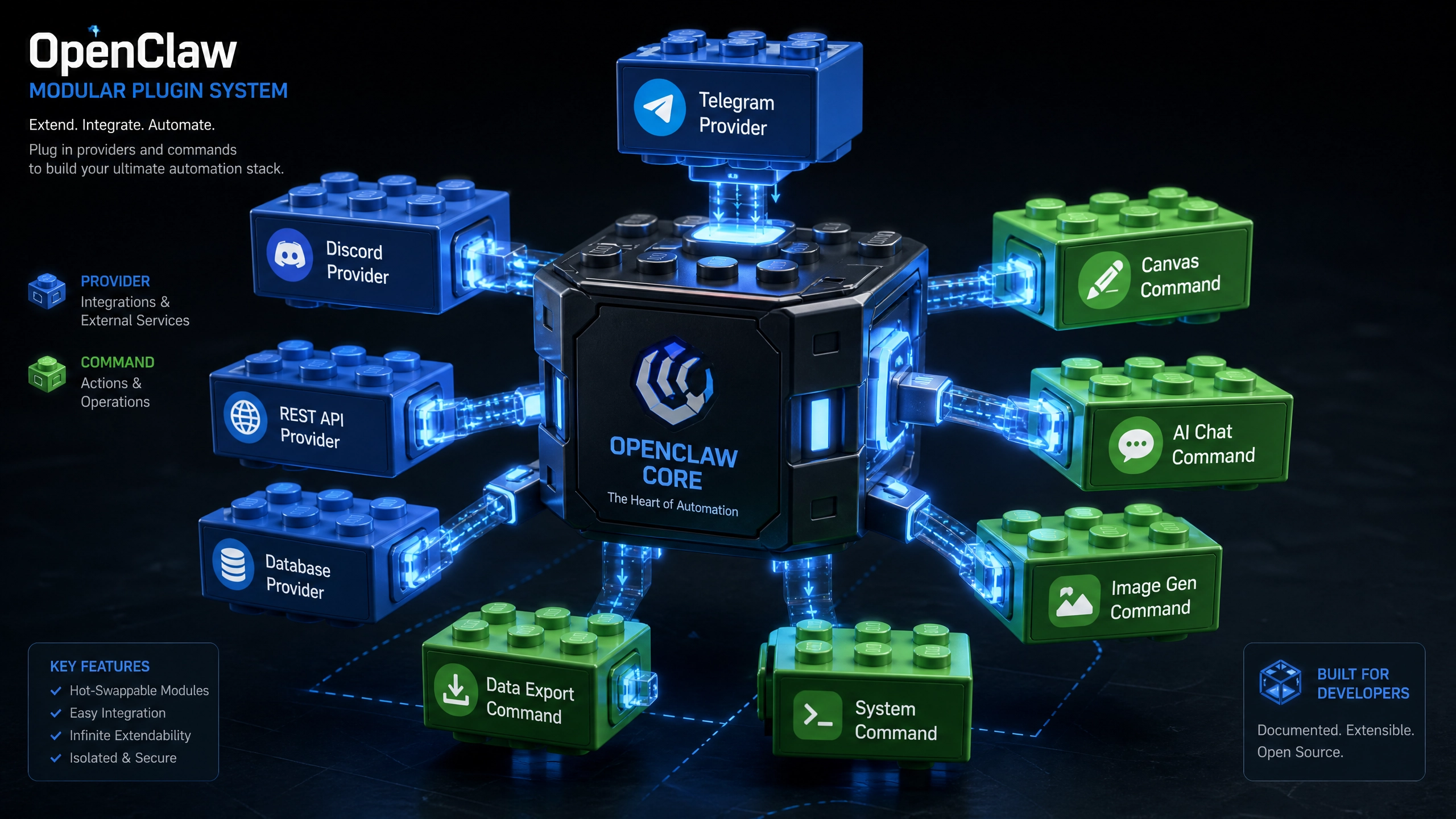
两者的结合创造了一个强大的协同效应:OpenClaw 确保对话系统能获取最新、最相关的数据支持,而 ChatGPT 则负责将这些数据转化为自然流畅的对话。这种组合特别适合需要实时数据支持的智能客服、数据分析助手等场景。
环境准备
在开始之前,我们需要配置开发环境。建议使用 Python 3.8+ 版本,并创建独立的虚拟环境:
python -m venv openclaw-chatgpt-env
source openclaw-chatgpt-env/bin/activate  # Linux/Mac
openclaw-chatgpt-env\Scripts\activate    # Windows
然后安装必要的依赖库:
pip install openclaw-sdk>=2.3 openai==0.27.0 tenacity==8.2.2 aiohttp==3.8.4核心实现
OpenClaw API 鉴权流程
- 首先需要获取 OpenClaw 的 API Key,然后在代码中进行初始化:
from openclaw import OpenClawClient

# 初始化 OpenClaw 客户端
claw = OpenClawClient(
    api_key="your_openclaw_api_key",  # 替换为你的实际 API Key
    endpoint="https://api.openclaw.com/v1"  # OpenClaw API 端点
)
ChatGPT 对话上下文管理
维护对话历史对于生成连贯回复至关重要。我们可以创建一个简单的 Message 历史管理类:
class Conversation:
    def __init__(self, system_prompt=None):
        self.messages = []
        if system_prompt:
            self.messages.append({"role": "system", "content": system_prompt})

    def add_user_message(self, content):
        self.messages.append({"role": "user", "content": content})

    def add_assistant_message(self, content):
        self.messages.append({"role": "assistant", "content": content})

    def get_messages(self):
        return self.messages.copy()
带错误重试机制的完整请求示例
使用 tenacity 库实现 exponential backoff(指数退避)重试机制:
import openai
from tenacity import retry, stop_after_attempt, wait_exponential

openai.api_key = "your_openai_api_key"  # 替换为你的实际 API Key

@retry(stop=stop_after_attempt(3), wait=wait_exponential(multiplier=1, min=4, max=10))
def get_chatgpt_response(conversation, max_tokens=150):
    try:
        response = openai.ChatCompletion.create(
            model="gpt-3.5-turbo",
            messages=conversation.get_messages(),
            max_tokens=max_tokens
        )
        return response.choices[0].message.content
    except Exception as e:
        print(f"请求失败: {str(e)}")
        raise
生产级优化
异步 IO 改造方案
对于生产环境,同步请求可能导致性能瓶颈。以下是异步实现方案:
import aiohttp
import asyncio

async def async_chatgpt_request(session, conversation, max_tokens=150):
    url = "https://api.openai.com/v1/chat/completions"
    headers = {"Authorization": f"Bearer {openai.api_key}",
        "Content-Type": "application/json"
    }
    data = {
        "model": "gpt-3.5-turbo",
        "messages": conversation.get_messages(),
        "max_tokens": max_tokens
    }

    async with session.post(url, json=data, headers=headers) as resp:
        if resp.status == 200:
            result = await resp.json()
            return result["choices"][0]["message"]["content"]
        else:
            raise Exception(f"API 请求失败: {resp.status}")
Token 消耗监控策略
监控 token 使用对于成本控制很重要。可以在每次请求后记录 token 使用情况:
def track_token_usage(response, usage_log):
    usage_data = {"prompt_tokens": response["usage"]["prompt_tokens"],
        "completion_tokens": response["usage"]["completion_tokens"],
        "total_tokens": response["usage"]["total_tokens"],
        "timestamp": datetime.datetime.now().isoformat()
    }
    usage_log.append(usage_data)
    return usage_data
避坑指南
处理 API 速率限制
- 指数退避重试:如前面示例所示,使用 tenacity 库实现
- 请求队列:在高峰期将请求排队处理
- 缓存响应:对常见问题缓存 ChatGPT 的回复
敏感信息过滤
使用正则表达式过滤敏感信息:
import re

def filter_sensitive_info(text):
    # 过滤信用卡号
    text = re.sub(r"\b(?:\d[ -]*?){13,16}\b", "[REDACTED]", text)
    # 过滤电话号码
    text = re.sub(r"\b(?:\+?\d{1,3}[-]?)?(?:\(\d{3}\)|\d{3})[-]?\d{3}[-]?\d{4}\b", "[REDACTED]", text)
    return text
对话状态持久化方案
对于小型应用,SQLite 足够使用:
import sqlite3

def init_db():
    conn = sqlite3.connect("conversations.db")
    cursor = conn.cursor()
    cursor.execute("""
        CREATE TABLE IF NOT EXISTS conversations (
            id TEXT PRIMARY KEY,
            user_id TEXT,
            messages TEXT,
            created_at TIMESTAMP DEFAULT CURRENT_TIMESTAMP
        )
    """)
    conn.commit()
    conn.close()
对于高并发场景,建议使用 Redis。
验证与扩展
接口测试用例
使用 pytest 编写基本测试:
import pytest

@pytest.mark.asyncio
async def test_chatgpt_response():
    conv = Conversation("你是一个有帮助的 AI 助手")
    conv.add_user_message("你好")
    async with aiohttp.ClientSession() as session:
        response = await async_chatgpt_request(session, conv)
        assert isinstance(response, str)
        assert len(response) > 0
建议扩展方向
- 集成 LangChain 构建更复杂的工作流
- 添加多模态支持(如结合 DALL·E 生成图片)
- 实现基于用户反馈的回复质量优化
结语
通过本文的指导,你应该已经掌握了 OpenClaw 与 ChatGPT 集成的基本方法。这种组合为构建智能对话系统提供了强大而灵活的基础。完整的示例代码可以在 GitHub 仓库 中找到。
在实际应用中,记得根据具体需求进行调整,特别是错误处理和性能优化方面。随着经验的积累,你可以逐步扩展系统的功能,打造更加智能和个性化的对话体验。


