
共计 3131 个字符,预计需要花费 8 分钟才能阅读完成。

背景与痛点
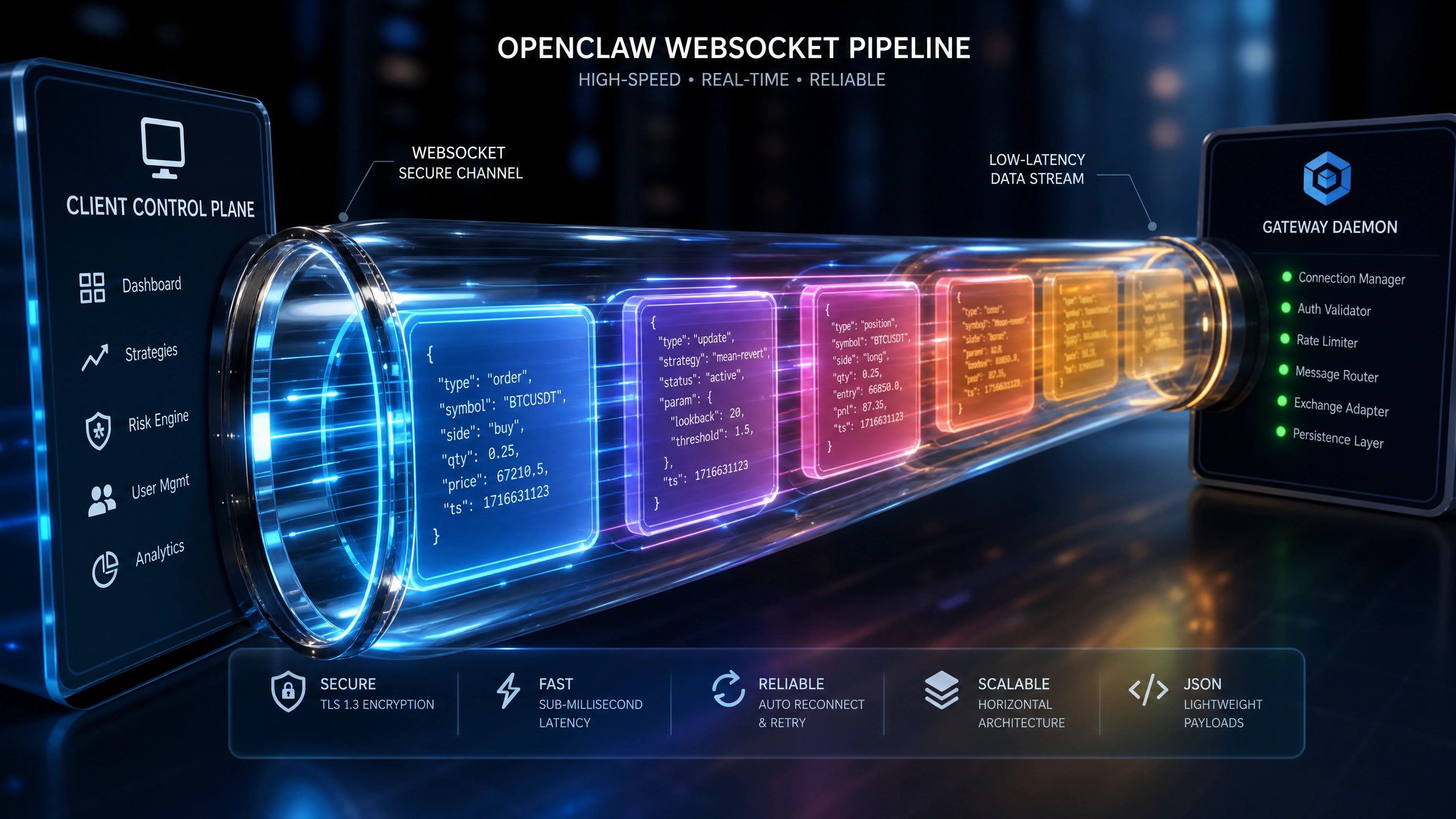
在将 OpenClaw 与 ChatGPT 对接的过程中,开发者往往会遇到几个典型的挑战。OpenClaw 作为一个灵活的数据抓取工具,通常用于收集和处理各种来源的数据,而 ChatGPT 则是一个强大的自然语言处理模型,能够生成高质量的文本响应。两者的对接需要解决 API 调用限制、数据格式转换、错误处理等问题。
-
API 调用限制 :ChatGPT 的 API 有严格的调用频率和并发限制,如果不加以控制,很容易触发限流机制,导致服务不可用。
-
数据格式转换 :OpenClaw 抓取的数据格式可能与 ChatGPT 的输入格式不兼容,需要进行转换和处理。
-
错误处理 :网络波动、API 响应延迟等问题可能导致对接失败,因此需要一套健壮的错误处理机制。
-
性能优化 :对接后的系统响应时间可能较长,尤其是在处理大量数据时,需要优化数据流和 API 调用方式。
技术选型对比
在对接 OpenClaw 和 ChatGPT 时,有几种常见的技术方案可供选择,每种方案都有其优缺点。
- 直接 API 调用 :
- 优点:实现简单,无需额外组件。
-
缺点:容易触发 API 限流,缺乏灵活性和扩展性。
-
使用消息队列(如 RabbitMQ 或 Kafka):
- 优点:解耦数据生产和消费,支持高并发和异步处理。
-
缺点:增加了系统复杂性,需要额外的运维成本。
-
使用缓存(如 Redis):
- 优点:减少重复 API 调用,提升响应速度。
-
缺点:缓存一致性难以保证,可能引发数据过期问题。
-
微服务架构 :
- 优点:模块化设计,易于扩展和维护。
- 缺点:开发和部署成本较高,适合大型项目。
综合来看,对于中小型项目,直接 API 调用结合简单的消息队列可能是最经济高效的选择;而对于大型项目,微服务架构更能满足需求。
核心实现细节
以下是使用 Python 实现 OpenClaw 与 ChatGPT 对接的核心代码示例,代码遵循 Clean Code 原则,并附有详细注释。
import requests
import json
from typing import Dict, Optional

class OpenClawToChatGPT:
    """A class to handle the integration between OpenClaw and ChatGPT."""

    def __init__(self, openclaw_data: Dict, chatgpt_api_key: str):
        """
        Initialize the integration with OpenClaw data and ChatGPT API key.

        Args:
            openclaw_data: Data fetched from OpenClaw.
            chatgpt_api_key: API key for ChatGPT.
        """
        self.openclaw_data = openclaw_data
        self.chatgpt_api_key = chatgpt_api_key
        self.chatgpt_url = "https://api.openai.com/v1/chat/completions"

    def format_data_for_chatgpt(self) -> Dict:
        """
        Format OpenClaw data to be compatible with ChatGPT API.

        Returns:
            Formatted data as a dictionary.
        """return {"messages": [{"role": "user", "content": self.openclaw_data.get("query", "")}
            ]
        }

    def call_chatgpt_api(self, formatted_data: Dict) -> Optional[Dict]:
        """
        Call ChatGPT API with the formatted data.

        Args:
            formatted_data: Data formatted for ChatGPT API.

        Returns:
            Response from ChatGPT API, or None if the call fails.
        """headers = {"Authorization": f"Bearer {self.chatgpt_api_key}","Content-Type":"application/json"
        }

        try:
            response = requests.post(
                self.chatgpt_url,
                headers=headers,
                json=formatted_data,
                timeout=10
            )
            response.raise_for_status()
            return response.json()
        except requests.exceptions.RequestException as e:
            print(f"API call failed: {e}")
            return None

    def process_response(self, api_response: Dict) -> str:
        """
        Process the response from ChatGPT API.

        Args:
            api_response: Response from ChatGPT API.

        Returns:
            Extracted text content from the response.
        """if api_response and"choices" in api_response:
            return api_response["choices"][0]["message"]["content"]
        return ""def run(self) -> str:"""
        Execute the entire pipeline: format data, call API, process response.

        Returns:
            Final processed result from ChatGPT.
        """
        formatted_data = self.format_data_for_chatgpt()
        api_response = self.call_chatgpt_api(formatted_data)
        return self.process_response(api_response)
性能与安全性考量
- 性能优化 :
- 批处理 :将多个请求合并为一个批次调用,减少 API 调用次数。
- 缓存 :缓存 ChatGPT 的响应,避免重复处理相同输入。
-
异步调用 :使用异步 IO(如 asyncio)提升并发处理能力。
-
安全性 :
- API 密钥管理 :避免硬编码 API 密钥,使用环境变量或密钥管理服务。
- 数据脱敏 :对敏感数据进行脱敏处理后再发送给 ChatGPT。
- HTTPS:确保所有 API 调用均通过 HTTPS 协议加密传输。
避坑指南
- API 限流 :
- 问题:频繁调用导致 API 限流。
-
解决:实现请求队列和速率限制,或使用指数退避策略。
-
数据格式错误 :
- 问题:数据格式不符合 ChatGPT 要求。
-
解决:严格验证和转换数据格式,确保与 API 文档一致。
-
网络波动 :
- 问题:网络不稳定导致调用失败。
-
解决:实现重试机制,设置合理的超时时间。
-
响应延迟 :
- 问题:ChatGPT 响应时间过长。
- 解决:优化输入数据,减少不必要的上下文;考虑使用更快的模型版本。
总结与下一步
通过本文的介绍,你应该已经掌握了如何将 OpenClaw 与 ChatGPT 高效对接的核心技术。从背景分析到技术选型,再到具体的代码实现和优化策略,我们覆盖了对接过程中的关键环节。
接下来,你可以尝试以下方向进一步提升系统的性能和可靠性:
- 引入更高级的缓存策略,如 LRU 缓存或分布式缓存。
- 使用监控工具(如 Prometheus)实时跟踪 API 调用性能和错误率。
- 探索 ChatGPT 的其他功能,如多轮对话或自定义模型微调。
希望这篇指南能帮助你顺利完成 OpenClaw 与 ChatGPT 的对接,如果有任何问题或建议,欢迎在评论区交流!


