
共计 2871 个字符,预计需要花费 8 分钟才能阅读完成。

Claude Skill 是什么?为什么需要它?
Claude Skill 可以理解为 AI 的 ” 技能插件 ”,就像给智能手机安装 APP 一样。通过开发 Skill,我们可以让 Claude 具备特定领域的对话能力,比如查天气、订餐服务或专业知识问答。这种模块化设计让 AI 应用更灵活,开发者可以按需组合不同 Skill 来打造定制化 AI 助手。
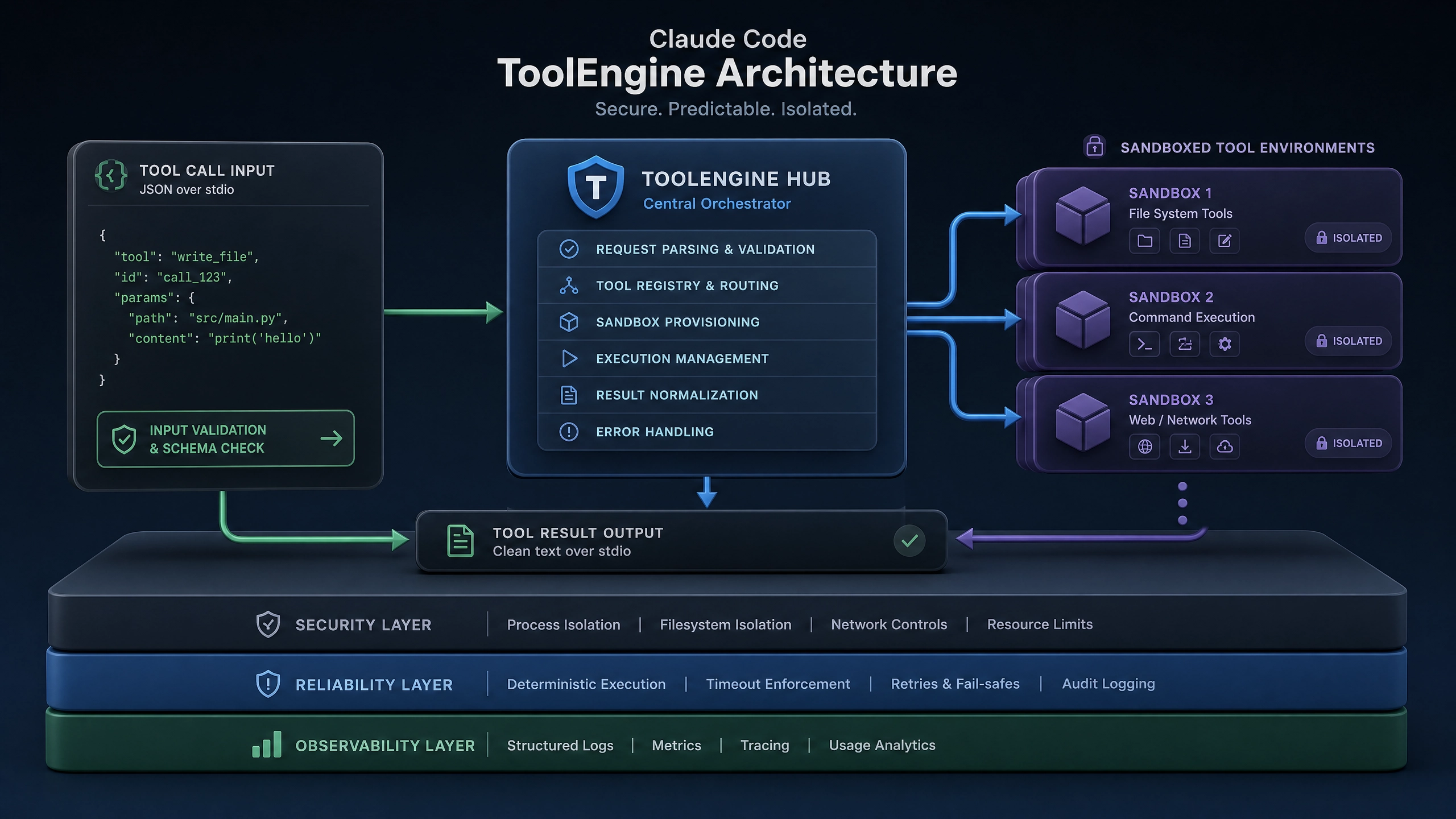
开发 Claude Skill 的五大痛点
在实际开发中,我遇到过这些典型问题:
- 状态管理困难 :用户在多轮对话中提到的信息(如城市名称)如何跨消息传递
- 意图识别模糊 :用户说 ” 明天会下雨吗 ” 和 ” 天气预报 ” 其实是同个意图
- 上下文断裂 :当对话超过 API 限制时,如何保持对话连贯性
- 异常处理复杂 :第三方 API 失败时如何给出友好提示
- 性能瓶颈 :高频访问时如何避免响应延迟
技术方案与核心实现
基础框架搭建(Python 示例)
先看最基本的 Skill 骨架结构:
class BaseSkill:
    def __init__(self):
        self.skill_name = "base_skill"

    def can_handle(self, user_input: str) -> bool:
        """判断是否处理该用户请求"""
        raise NotImplementedError

    def handle(self, user_input: str, session: dict) -> str:
        """处理用户输入并返回响应"""
        raise NotImplementedError
上下文保持的两种实战方案
- Session 方案 (适合短期对话):
# 使用字典保存会话状态
def handle_weather_request(user_input, session):
    if "city" not in session:
        session["city"] = extract_city(user_input)  # 首次询问城市
        return "请问需要查询哪天的天气?"
    else:
        date = extract_date(user_input)
return fetch_weather(session["city"], date)- LocalStorage 方案 (适合长期记忆):
import shelve

def remember_user_preference(user_id, preference):
    with shelve.open("user_data.db") as db:
        db[user_id] = preference
多轮对话处理技巧
关键点在于设计对话状态机:
class ConversationState:
    INIT = 0
    ASK_DATE = 1
    CONFIRM = 2

current_state = ConversationState.INIT

def handle_conversation(user_input):
    global current_state

    if current_state == ConversationState.INIT:
        current_state = ConversationState.ASK_DATE
        return "您想查询哪个城市?"
    elif current_state == ConversationState.ASK_DATE:
        city = parse_city(user_input)
        current_state = ConversationState.CONFIRM
        return f"已选择 {city},请输⼊查询日期"
完整案例:Weather Skill 实现
import requests
import logging
from datetime import datetime

class WeatherSkill:
    def __init__(self):
        self.API_KEY = "YOUR_API_KEY"
        self.logger = logging.getLogger(__name__)

    def can_handle(self, user_input):
        keywords = ["天气", "下雨", "气温"]
        return any(kw in user_input for kw in keywords)

    def handle(self, user_input, session):
        try:
            # 提取关键信息
            if "city" not in session:
                session["city"] = self._extract_city(user_input)
                return "请告诉我您想查询的日期(如:明天)"

            date = self._parse_date(user_input)
            weather = self._fetch_weather(session["city"], date)

            # 清除会话状态以开始新查询
            session.clear()
            return f"{date}{session['city']} 的天气是:{weather}"

        except Exception as e:
            self.logger.error(f"天气查询失败: {str(e)}")
            return "抱歉,天气服务暂时不可用,请稍后再试"

    def _fetch_weather(self, city, date):
        """调用第三方天气 API"""
        params = {
            "key": self.API_KEY,
            "city": city,
            "date": date
        }
        resp = requests.get("https://weather-api.example.com", params=params)
        resp.raise_for_status()
        return resp.json()["forecast"]
进阶优化方案
性能提升技巧
-
批处理请求 :将多个 API 调用合并
def batch_fetch(requests): return [fetch_single(req) for req in requests] -
缓存策略 :对静态数据使用内存缓存
from functools import lru_cache

@lru_cache(maxsize=100)
def get_city_code(city_name):
    # 城市编码映射表查询
安全防护措施
-
输入验证:
def sanitize_input(text): return text.replace("<", "").replace(">","") -
权限控制:
def check_permission(user):
    if not user.has_permission("weather"):
        raise PermissionError("无权访问该技能")
生产环境避坑指南
- 超时问题 :第三方 API 响应慢导致 Claude 超时
-
解决方案:设置备用 API 源,添加重试机制
-
会话泄漏 :不同用户会话数据混淆
-
解决方案:使用唯一会话 ID 作为存储键
-
意图冲突 :多个 Skill 同时响应同个请求
- 解决方案:实现优先级评分机制
思考与延伸
- 如何设计 Skill 的热加载机制,实现不停服更新?
- 当用户连续快速发送多条消息时,如何优化处理流程?
希望这篇指南能帮助你避开我踩过的那些坑。开发 AI 技能就像教小朋友新本领,需要耐心和反复调试。记住先从简单的 Skill 开始,逐步增加复杂性会更稳妥。
正文完


