
共计 3791 个字符,预计需要花费 10 分钟才能阅读完成。

背景痛点分析
开发 Claude Skill 时最常见的挑战主要集中在三个方面:
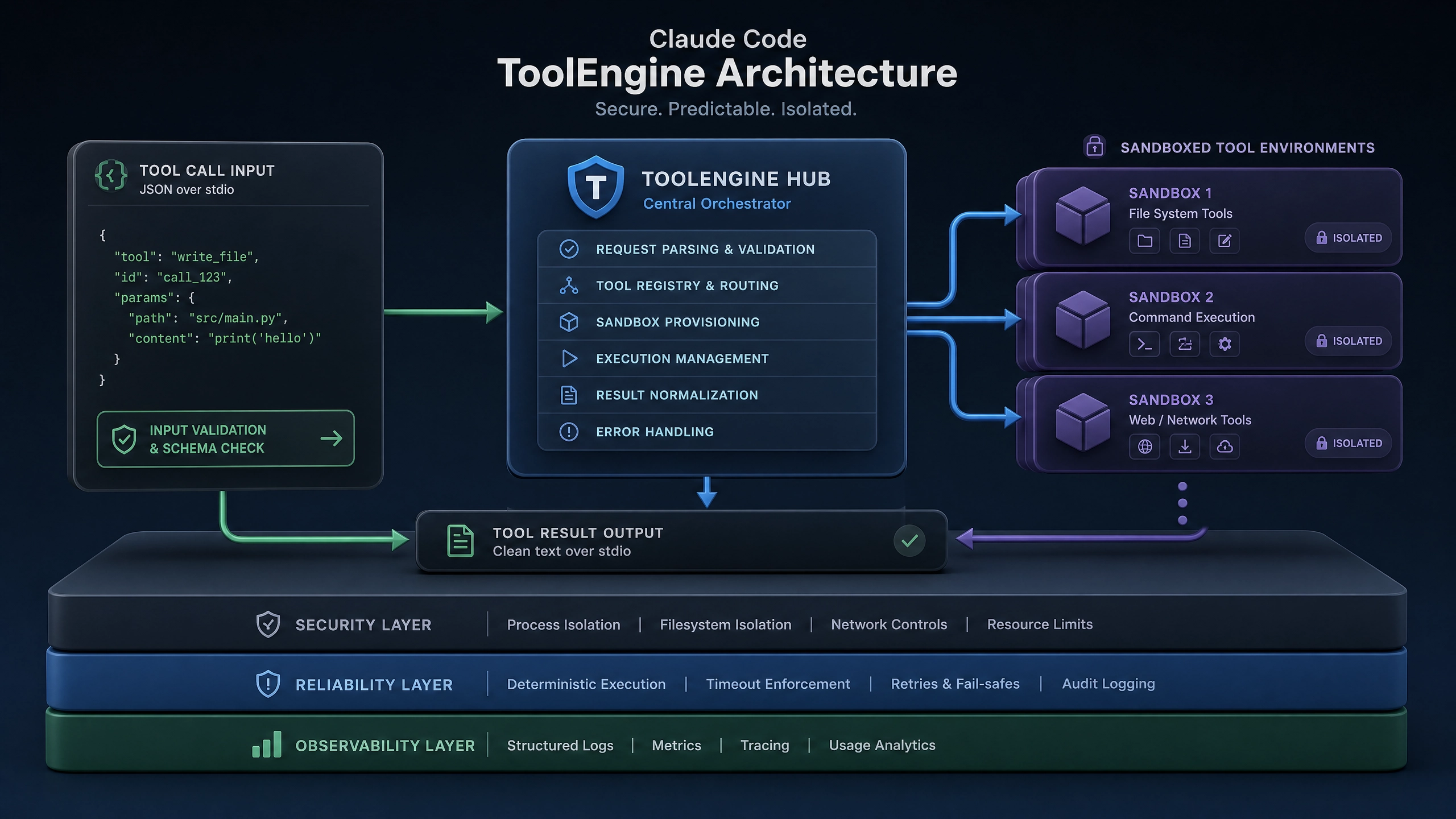
- 身份验证问题 :API 密钥管理不当导致认证失败,尤其是多环境切换时容易混淆密钥
- 性能问题 :未经优化的直接调用会出现响应延迟,影响用户体验
- 状态管理 :对话上下文丢失是多轮对话系统面临的主要难点
技术方案对比
API 直接调用 vs SDK 使用
- 直接调用 API
- 优点:灵活性高,可以完全控制请求 / 响应流程
-
缺点:需要自行处理重试、错误处理和序列化等基础功能
-
使用官方 SDK
- 优点:内置最佳实践,简化开发流程
- 缺点:某些高级定制功能可能受限
会话状态管理方案
- 内存存储
- 适用场景:开发测试环境、单实例部署
- 优点:实现简单,零延迟
-
缺点:无法扩展,进程重启丢失数据
-
Redis 存储
- 适用场景:生产环境多实例部署
- 优点:高性能,支持 TTL 自动过期
-
缺点:需要额外基础设施
-
数据库存储
- 适用场景:需要持久化对话历史的业务
- 优点:数据可靠性高
- 缺点:性能较低,实现复杂
核心实现
Python 示例
import os
from tenacity import retry, stop_after_attempt, wait_exponential
from claude_api import Client

class ClaudeSkill:
    def __init__(self):
        self.client = Client(api_key=os.getenv('CLAUDE_API_KEY'))
        self.session_store = {}  # 实际生产替换为 Redis/Database

    @retry(stop=stop_after_attempt(3), wait=wait_exponential(multiplier=1, min=4, max=10))
    async def send_message(self, user_id, message):
        """带重试机制的 API 调用"""
        try:
            # 获取或创建会话
            session_id = self._get_session(user_id)

            # 敏感信息过滤
            sanitized_msg = self._sanitize_input(message)

            response = await self.client.send_message(
                session_id=session_id,
                message=sanitized_msg
            )

            # 更新会话上下文
            self._update_context(user_id, response.context)

            return response.text
        except Exception as e:
            logging.error(f"API 调用失败: {str(e)}")
            raise

    def _get_session(self, user_id):
        """获取或创建新会话"""
        if user_id not in self.session_store:
            self.session_store[user_id] = {'session_id': str(uuid.uuid4()),
                'context': []}
        return self.session_store[user_id]['session_id']

    def _update_context(self, user_id, new_context):
        """更新对话上下文"""
        if user_id in self.session_store:
            self.session_store[user_id]['context'] = new_context

    def _sanitize_input(self, text):
        """基础敏感信息过滤"""
        # 实际项目中应使用专业的过滤库
        forbidden_terms = ['密码', '密钥', '身份证号']
        for term in forbidden_terms:
            if term in text:
                raise ValueError(f"输入包含敏感词: {term}")
        return text
Node.js 示例
const {ClaudeAPI} = require('claude-sdk');
const Redis = require('ioredis');

class ClaudeSkill {constructor() {this.client = new ClaudeAPI(process.env.CLAUDE_API_KEY);
    this.redis = new Redis(process.env.REDIS_URL);
    this.retryOptions = {
      retries: 3,
      factor: 2,
      minTimeout: 1000,
      maxTimeout: 10000
    };
  }

  async sendMessage(userId, message) {
    try {
      // 获取或创建会话
      const sessionId = await this.getOrCreateSession(userId);

      // 敏感信息过滤
      const sanitizedMsg = this.sanitizeInput(message);

      // 带重试的 API 调用
      const response = await this.retry(async () => {
        return await this.client.sendMessage({
          sessionId,
          message: sanitizedMsg
        });
      }, this.retryOptions);

      // 更新上下文
      await this.updateContext(userId, response.context);

      return response.text;
    } catch (error) {console.error(`API 调用失败: ${error.message}`);
      throw error;
    }
  }

  async getOrCreateSession(userId) {const key = `claude:session:${userId}`;
    let session = await this.redis.get(key);

    if (!session) {
      session = {sessionId: uuidv4(),
        context: []};
      await this.redis.set(key, JSON.stringify(session), 'EX', 86400); // 24 小时过期
    } else {session = JSON.parse(session);
    }

    return session.sessionId;
  }

  async updateContext(userId, newContext) {const key = `claude:session:${userId}`;
    const session = JSON.parse(await this.redis.get(key)) || {};
    session.context = newContext;
    await this.redis.set(key, JSON.stringify(session), 'EX', 86400);
  }

  sanitizeInput(text) {const forbiddenTerms = ['password', 'secret', 'SSN'];
    for (const term of forbiddenTerms) {if (text.includes(term)) {throw new Error(`Input contains forbidden term: ${term}`);
      }
    }
    return text;
  }
}
生产环境考量
超时与熔断设置
- API 调用设置合理超时(建议 5 -10 秒)
- 实现熔断机制,当错误率超过阈值时暂时停止请求
日志与监控
- 关键指标
- API 响应时间(P50/P95/P99)
- 错误率(4xx/5xx)
-
并发会话数
-
日志规范
- 每个请求分配唯一 ID
- 记录完整请求 / 响应(脱敏后)
- 错误日志包含足够上下文
JWT 权限控制
# Python JWT 验证示例
from fastapi import Depends, HTTPException
from fastapi.security import HTTPBearer

security = HTTPBearer()

def validate_token(credentials: HTTPAuthorizationCredentials = Depends(security)):
    try:
        payload = jwt.decode(
            credentials.credentials,
            os.getenv('JWT_SECRET'),
            algorithms=['HS256']
        )
        return payload
    except jwt.PyJWTError:
        raise HTTPException(status_code=403, detail="Invalid token")
常见问题与解决方案
- 异步调用未 await
- 症状:上下文错乱,响应不匹配
-
解决:确保所有异步调用都正确 await
-
忽略 API 速率限制
- 症状:突然收到 429 错误
-
解决:实现请求队列或退避重试
-
会话 token 过期
- 症状:用户会话突然中断
-
解决:实现 token 自动刷新机制
-
上下文窗口超限
- 症状:长对话后 API 返回错误
-
解决:实现上下文摘要或分块
-
敏感数据泄露
- 症状:用户隐私信息出现在日志
- 解决:严格实施数据脱敏
互动讨论
-
在设计技能版本灰度发布时,除了用户 ID 分流,还有哪些有效的分流策略?
-
当技能需要访问企业私有数据源时,如何平衡安全性与便利性?
-
在多地域部署场景下,如何确保会话状态的一致性?
正文完


