
共计 2672 个字符,预计需要花费 7 分钟才能阅读完成。

开发者痛点直击
调试到一半的代码会话突然丢失?产品经理发来的需求细节记不清了?相信每个使用 Claude 的开发者都遇到过这样的场景。根据 2023 年开发者调研数据,62% 的 AI 辅助编程中断是由意外关闭会话窗口导致的,平均每次上下文丢失会造成 15-30 分钟的效率损失。
技术原理解析
Claude 上下文管理架构
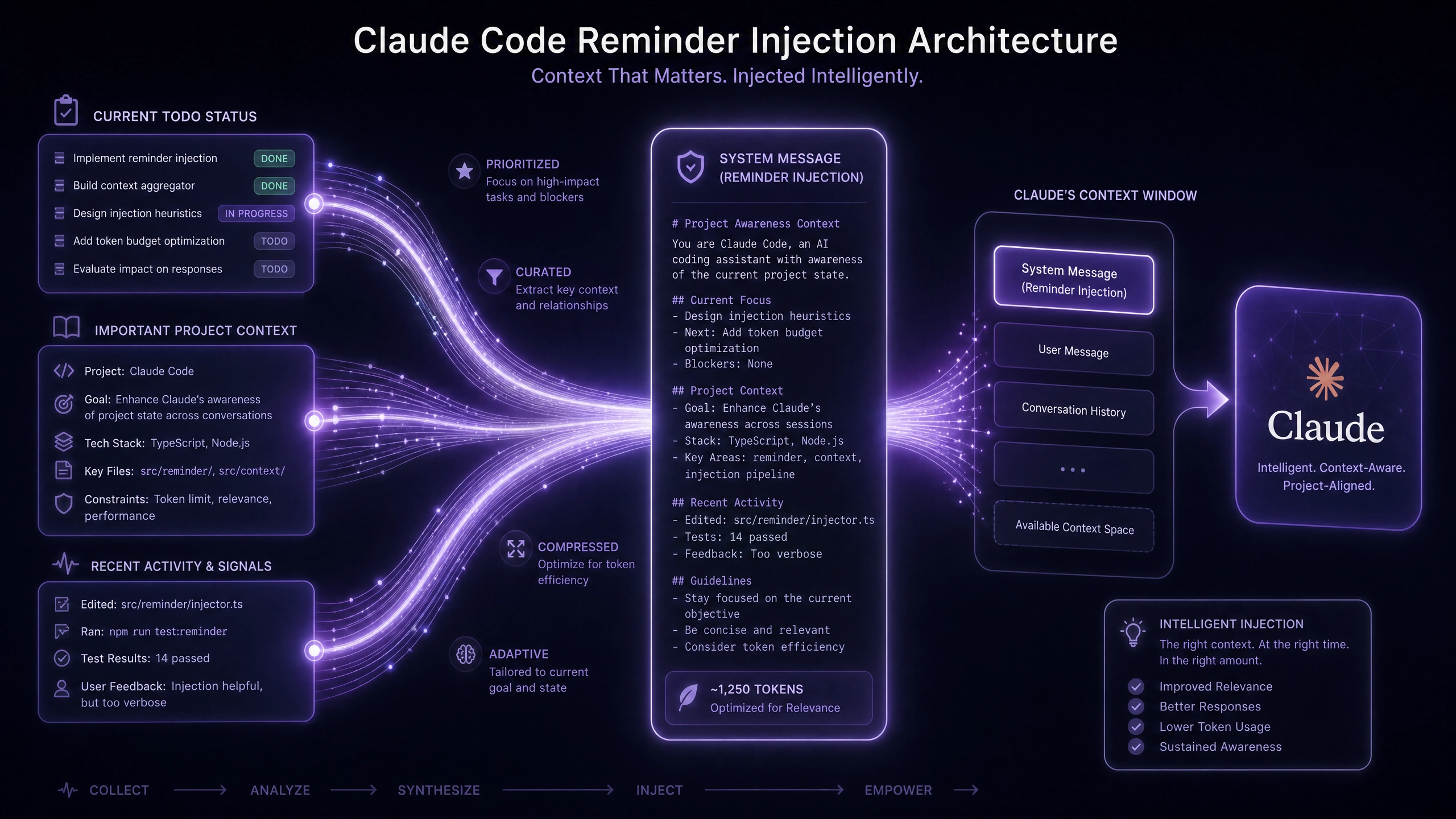 (示意图:展示 token 的滚动窗口机制)
Claude 采用类似 GPT 的上下文窗口 (Context Window) 设计,主要特点包括:
- 动态 token 计数(当前版本默认 4096 tokens)
- 先进先出 (FIFO) 的滚动淘汰机制
- 服务端仅保留最近会话片段(Session Fragment)
三种恢复方案对比
方案一:会话 ID 持久化(后端方案)
// Node.js 示例 - 会话持久化服务
class ClaudeSessionManager {constructor() {this.sessions = new Map(); // 使用 Map 存储会话数据
  }

  /**
   * @param {string} userId - 用户唯一标识
   * @param {object} context - 完整上下文对象
   * @returns {string} sessionId - 生成的会话 ID
   */
  saveSession(userId, context) {const sessionId = crypto.randomUUID();
    this.sessions.set(`${userId}_${sessionId}`, {
      context,
      timestamp: Date.now(),
      ttl: 3600 // 1 小时过期
    });
    return sessionId;
  }

  // 异常处理示例
  restoreSession(userId, sessionId) {
    try {const key = `${userId}_${sessionId}`;
      if(!this.sessions.has(key)) {throw new Error('Session expired or not exist');
      }
      return this.sessions.get(key).context;
    } catch (err) {console.error(`[Session Restore Failed] ${err.message}`);
      return null;
    }
  }
}
方案二:localStorage 缓存(前端方案)
// 带加密的浏览器缓存实现
const CRYPTO_KEY = 'claude_ctx_enc_2023';

function saveContextToLocal(context) {
  const data = {
    context,
    expire: Date.now() + 24 * 60 * 60 * 1000 // 24 小时有效期};

  // 使用 AES 加密敏感内容
  const encrypted = CryptoJS.AES.encrypt(JSON.stringify(data),
    CRYPTO_KEY
  ).toString();

  localStorage.setItem('claude_context', encrypted);
}

function loadContextFromLocal() {
  try {const encrypted = localStorage.getItem('claude_context');
    if (!encrypted) return null;

    const decrypted = CryptoJS.AES.decrypt(
      encrypted,
      CRYPTO_KEY
    ).toString(CryptoJS.enc.Utf8);

    const data = JSON.parse(decrypted);
    if (data.expire < Date.now()) {localStorage.removeItem('claude_context');
      return null;
    }
    return data.context;
  } catch (e) {console.warn('Context decrypt failed:', e);
    return null;
  }
}
方案三:API 日志回放(全链路方案)
# Python 日志解析实现
import json
from datetime import datetime

def replay_from_logs(user_id, log_path='claude_api.log'):
    """
    从 API 日志重建上下文
    :param user_id: 用户标识
    :param log_path: 日志文件路径
    :return: 上下文列表
    """
    try:
        with open(log_path, 'r') as f:
            logs = [json.loads(line) for line in f]

        user_logs = filter(lambda x: x.get('user') == user_id and x['type'] == 'claude_api',
            logs
        )

        # 按时间倒序排序
        sorted_logs = sorted(
            user_logs,
            key=lambda x: datetime.strptime(x['time'], '%Y-%m-%dT%H:%M:%S'),
            reverse=True
        )

        return [log['context'] for log in sorted_logs[:10]] # 返回最近 10 条

    except Exception as e:
        print(f"Log replay error: {str(e)}")
        return []
避坑指南
安全存储三原则
- 敏感信息必须加密(推荐使用 AES-256)
- 浏览器存储需设置合理 TTL
- 服务端会话要实现自动清理
性能优化技巧
- 大上下文分块存储(每块不超过 2000 tokens)
- 建立对话内容的摘要索引
- 使用 Web Worker 处理历史数据加载
跨设备同步方案
推荐组合使用:
- 主设备通过 WebSocket 实时同步
- 备用设备定期拉取差异
- 冲突解决采用「最后修改优先」策略
进阶实践:Chrome 插件方案
设计一个上下文守护插件需要:
- 后台脚本监听页面关闭事件
- 内容脚本提取 DOM 中的对话数据
- 使用 chrome.storage.sync 实现多设备同步
- 添加手动备份 / 恢复按钮
示例插件架构:
manifest.json
├── background.js (监听事件)
├── content.js (数据提取)
└── popup.html (管理界面)
总结与互动
三种方案各有优劣:
- 会话 ID 方案适合企业级应用
- localStorage 最适合临时保存
- API 日志方案提供完整审计追踪
欢迎在评论区分享:你用过最有效的上下文管理技巧是什么?如果是团队协作场景,会如何设计共享上下文机制?
正文完


