
共计 2408 个字符,预计需要花费 7 分钟才能阅读完成。

背景痛点:为什么提示词设计是个技术活?
刚开始接触 Agent 系统开发时,最容易低估的就是工具调用层的复杂度。举个实际场景:当你让 Agent「查天气」时,可能会遇到:
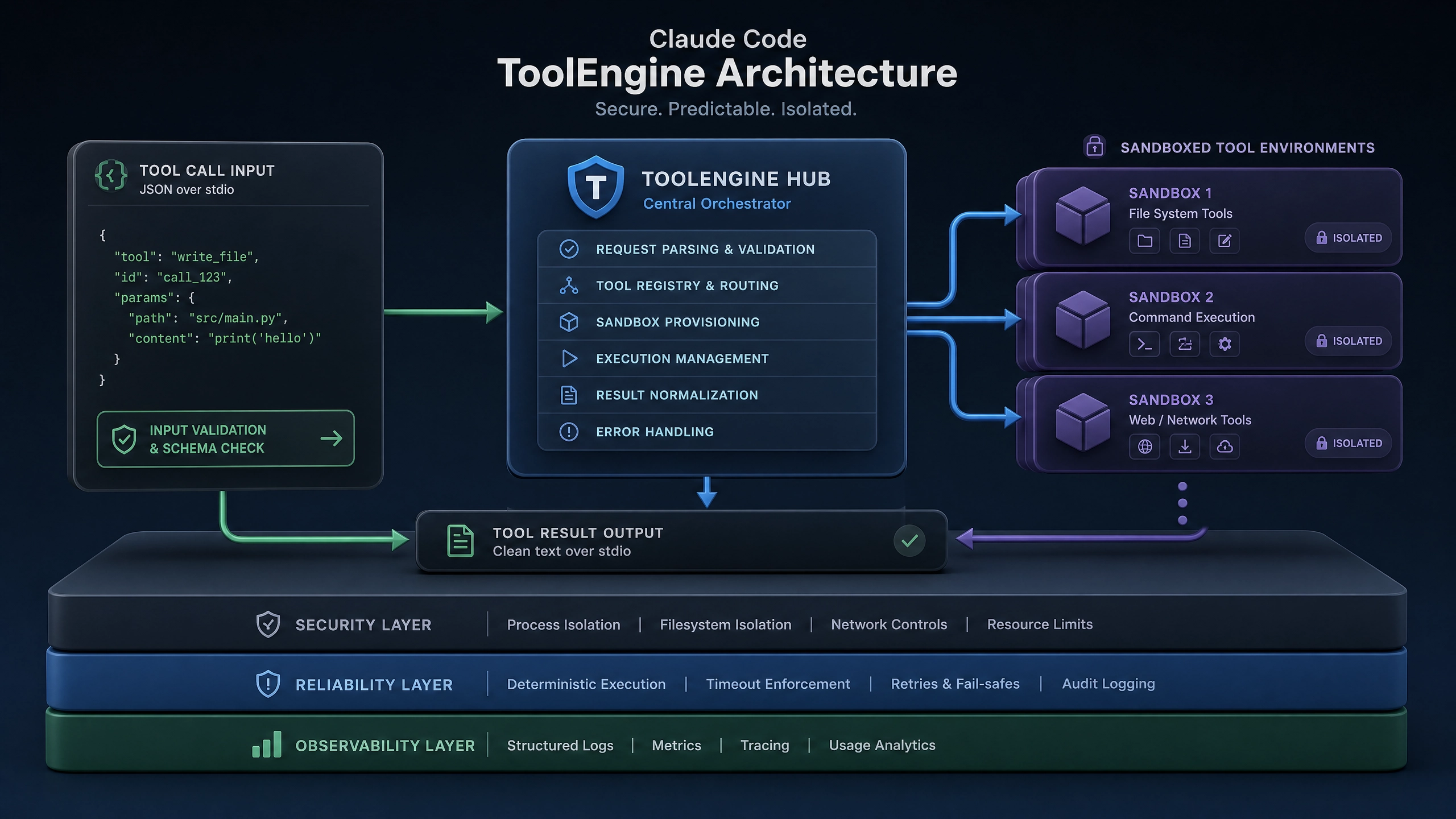
- 用户说 ” 明天会下雨吗 ”,但工具需要严格的
location和date参数 - 多个工具都响应 ” 查询 ” 类指令,导致路由冲突
- 高并发时工具服务超时,整个 Agent 卡死
这些问题本质上都是提示词(prompt)设计不严谨导致的。好的提示词就像 API 文档,需要明确三要素:
- 意图识别 :准确区分
search_weather和search_flight - 参数规范 :要求
location必须是 GeoJSON 格式 - 异常处理:定义当温度传感器离线时的 fallback 方案
技术方案选型:三种武器库
方案 1:直接调用(适合原型阶段)
# 原始字符串拼接方式
def get_weather(location: str):
    prompt = f"""查询 {location} 的天气,返回温度、湿度"""
return call_tool(prompt)优点:快速验证想法
缺点:参数注入风险大,难以维护
方案 2:模板引擎(推荐中小项目)
from string import Template

weather_tpl = Template("""
    执行天气查询任务
    必选参数:
    - location=$location (格式: 城市名)
    可选参数:
    - date=$date (默认: 今天)
""")

def build_prompt(params):
return weather_tpl.substitute(date="今天", **params)优势:
– 支持参数默认值
– 模板与代码分离
方案 3:DSL(适合复杂系统)
# weather_tool.dsl
tools:
  weather_query:
    description: 天气查询
    parameters:
      location:
        type: string
        required: true
      date:
        type: date
        default: today
    examples:
- "查询纽约明天天气"适用场景:
– 需要动态加载工具
– 多语言支持需求
实战代码:Python 最佳实践
1. 用 TypedDict 定义 Schema
from typing import TypedDict, Literal

class WeatherParams(TypedDict):
    location: str
    date: str
    unit: Literal["celsius", "fahrenheit"]
2. 参数校验装饰器
import re
from functools import wraps

def validate_geo(f):
    @wraps(f)
    def wrapper(params: WeatherParams):
        if not re.match(r"^[\w\s]+$", params["location"]):
            raise ValueError("Invalid location format")
        return f(params)
    return wrapper
3. 异步并发控制
import asyncio
from tenacity import retry, stop_after_attempt

@retry(stop=stop_after_attempt(3))
async def call_weather_api(params):
    async with asyncio.Semaphore(10):  # 并发限流
        return await aiohttp_call("/weather", json=params)
生产环境生存指南
错误处理三件套
-
重试机制:对网络抖动使用指数退避
@retry(wait=wait_exponential(multiplier=1, min=4, max=10)) -
熔断设计:当错误率 >5% 时暂停调用
CircuitBreaker(fail_max=5, reset_timeout=60) -
降级方案:返回缓存数据或友好提示
性能优化技巧
-
提示词缓存:对相同参数 MD5 哈希后缓存
@lru_cache(maxsize=1024) def build_prompt(params): return template.render(params) -
批量处理:合并多个查询请求
async def batch_call(tasks: List[ToolCall]):
    return await asyncio.gather(*tasks)
避坑指南:血泪经验总结
陷阱 1:工具版本不兼容
现象:提示词正常工作但工具 API 已升级
解决:
def check_tool_version(schema_version):
    assert version.parse(schema_version) >= version.parse("1.2.0")
陷阱 2:缺少调用链路追踪
现象:无法定位是哪个工具调用超时
解决:
import logging

logging.basicConfig(format="%(asctime)s [%(trace_id)s] %(message)s",
    filters=[TraceIdFilter()]
)
陷阱 3:忽视权限控制
现象:用户越权调用付费工具
解决:
class ToolPermission:
    def __init__(self, user_role):
        self.allow_tools = {"free": ["weather", "calculator"],
            "vip": ["stock", "translate"]
        }[user_role]
写在最后
在实际项目中,我们团队通过结构化提示词设计,将工具调用错误率从 12% 降到了 0.7%。关键心得是:
- 早期严格定义 Schema 比后期修修补补更高效
- 错误处理代码应该占到工具调用层的 30% 以上
- 监控指标至少包含:成功率、延迟、QPS
建议从简单模板引擎起步,随着业务复杂度的增长,逐步过渡到 DSL 方案。记住:好的提示词设计应该像乐高积木,既能严丝合缝,又能灵活组合。
正文完


